The inability to trigger a backtest on a screener may indicate that some parameters within the screener are either unavailable or incompatible with the backtesting feature. If you try to run a backtest on a query with these parameters, an error message will appear, identifying the incompatible parameters.

To resolve this issue, remove the indicated parameters from your screener. This will make your screener eligible for backtesting, allowing you to effectively analyze historical data.
You can download all the available parameters along with their descriptions from here: https:
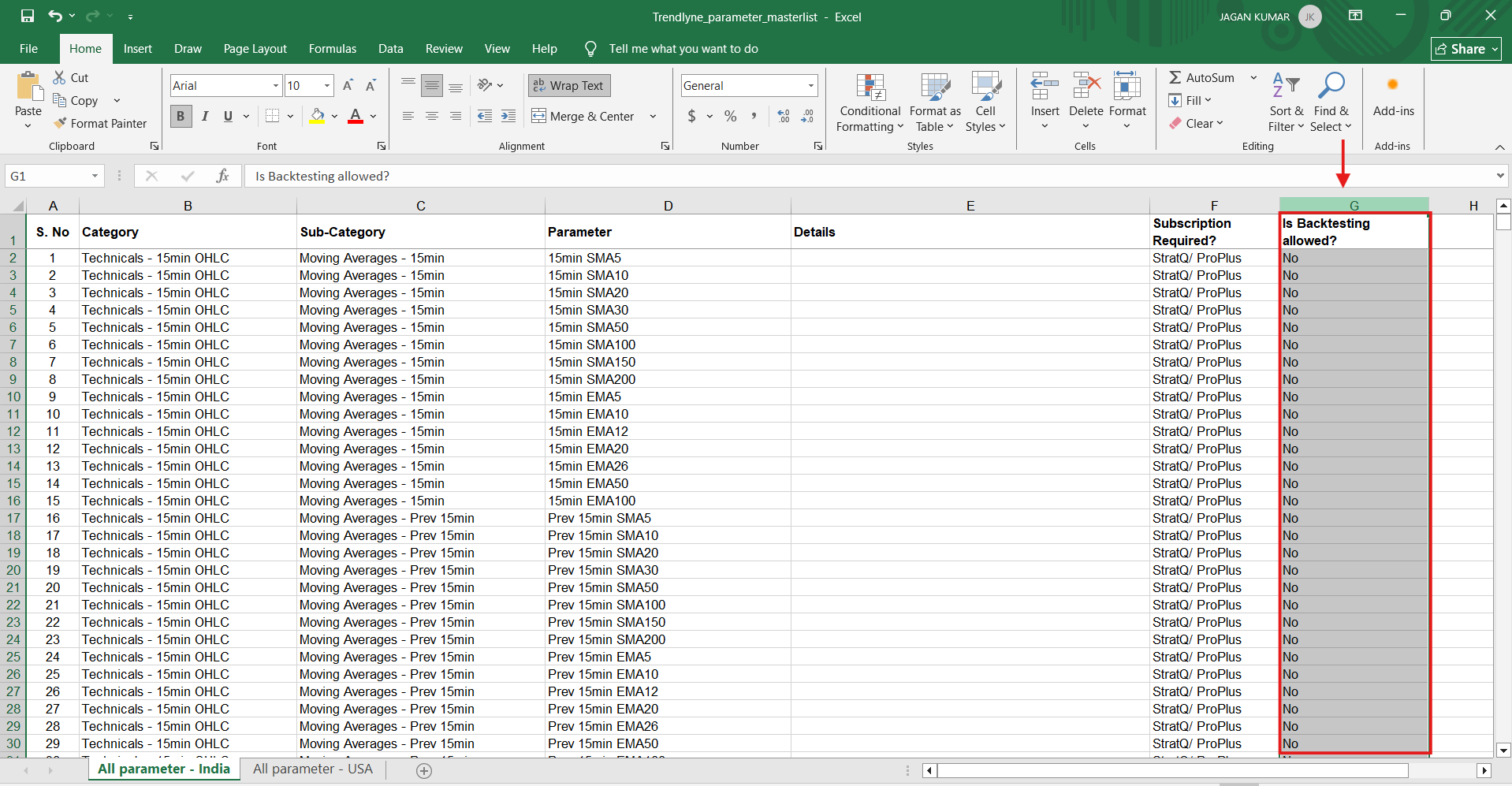
In this sheet, the “Is Backtesting allowed?” column indicates whether a parameter is supported for backtesting, as shown in the image below.