
Connect real-time financial data to your AI assistant
Overview
Trendlyne MCP (Model Context Protocol) enables AI assistants to access live, structured and unstructured financial data directly from Trendlyne's servers.
This eliminates hallucinations and ensures your AI-powered research and decision-making is grounded in accurate, real-time market data.
Prerequisites
Before you begin, make sure you have the following ready:
A Trendlyne MCP subscription (see Step 1)
The Claude web app opens in your browser (claude.ai)
Your Remote MCP server URL (provided after subscription)
Setting up Trendlyne MCP on Claude
Step 1: Buy a Trendlyne MCP subscription
Visit trendlyne.com and navigate to the MCP section. Choose a subscription plan that fits your research needs and complete the purchase.
Step 2: Get your remote Trendlyne MCP server URL after subscription
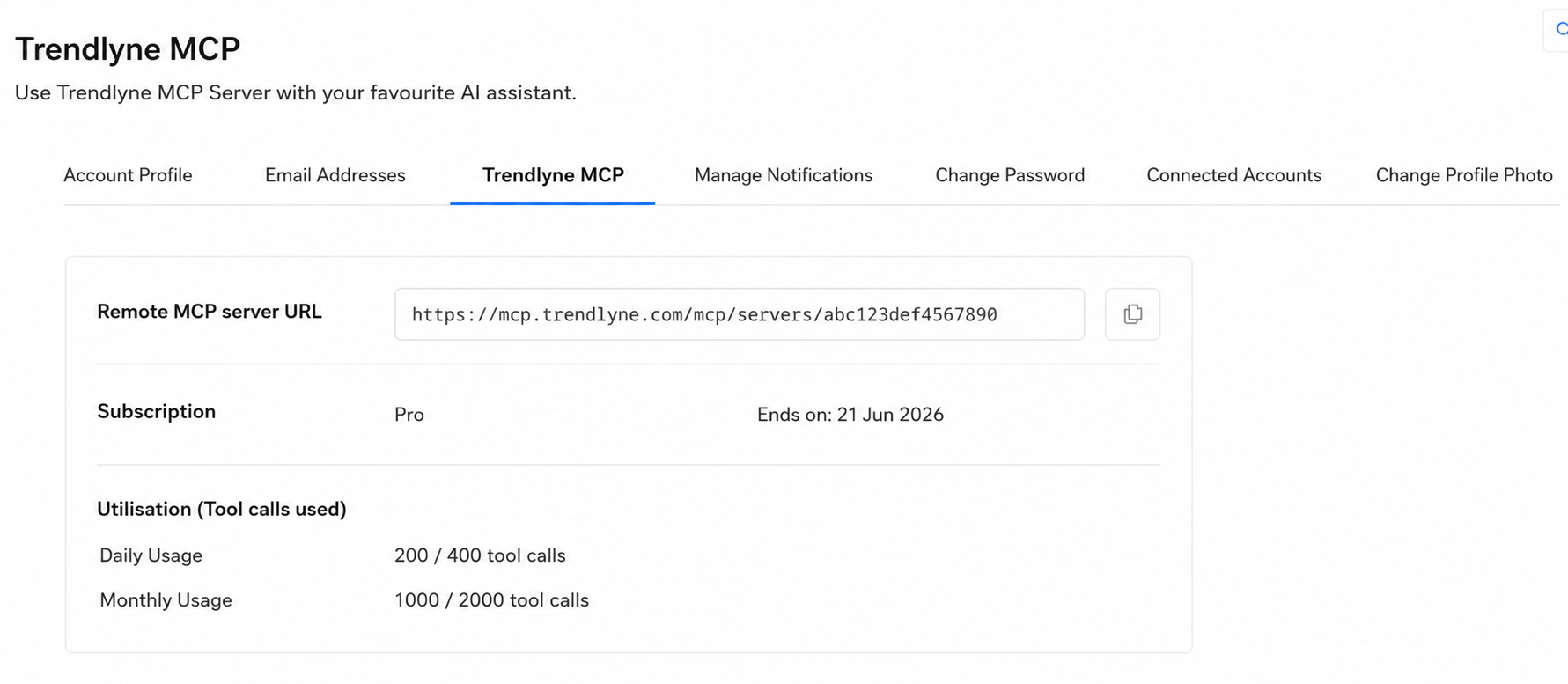
Step 3: Open your browser and go to claude.ai and sign in to your Claude account.
Step 4: Click the + button in Claude and select Add Connector. From the menu, select Add a Custom Connector.
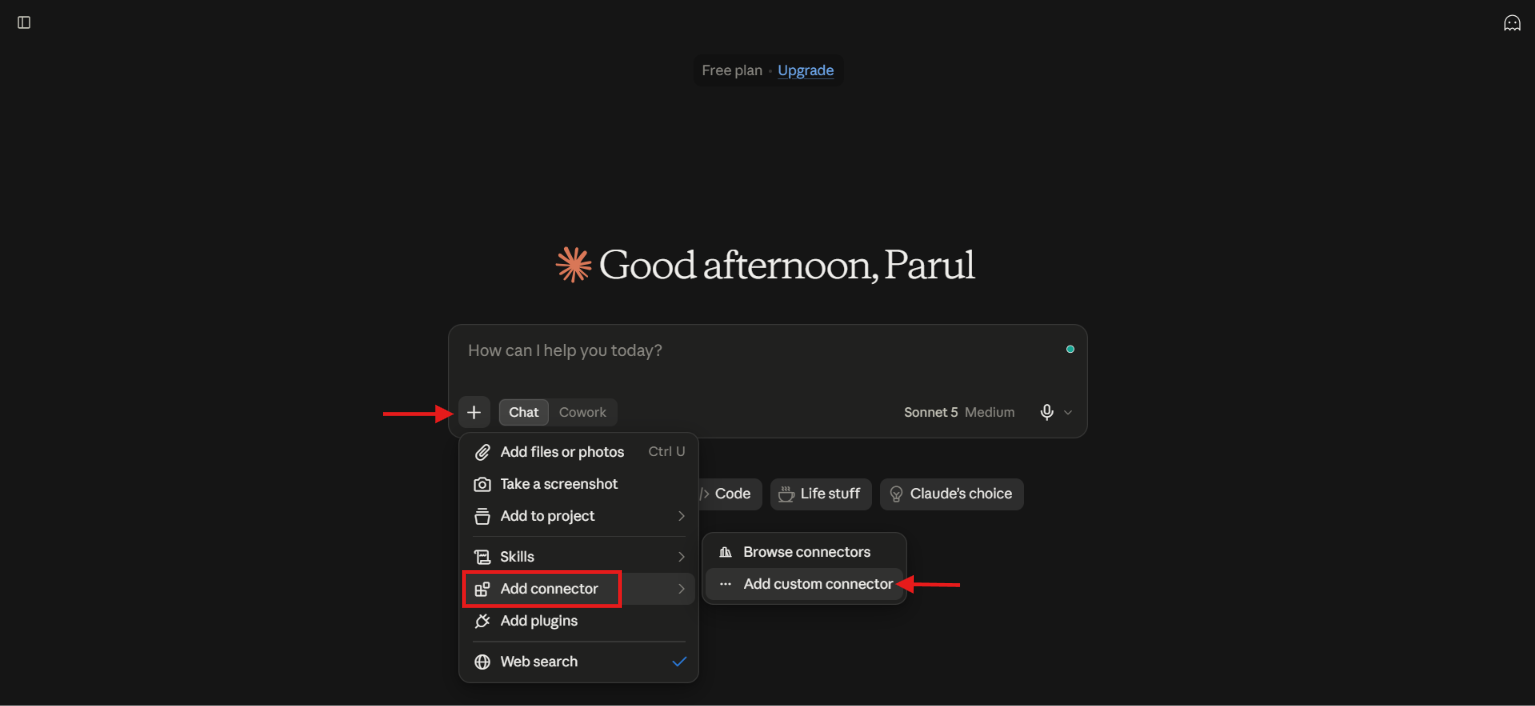
Step 5: Name your Connector and add the MCP Server URL. You can get this URL on the Trendlyne MCP page from your profile dropdown menu.
Enter "Trendlyne" as the connector name. Paste the MCP Server URL provided with your subscription, and click Next.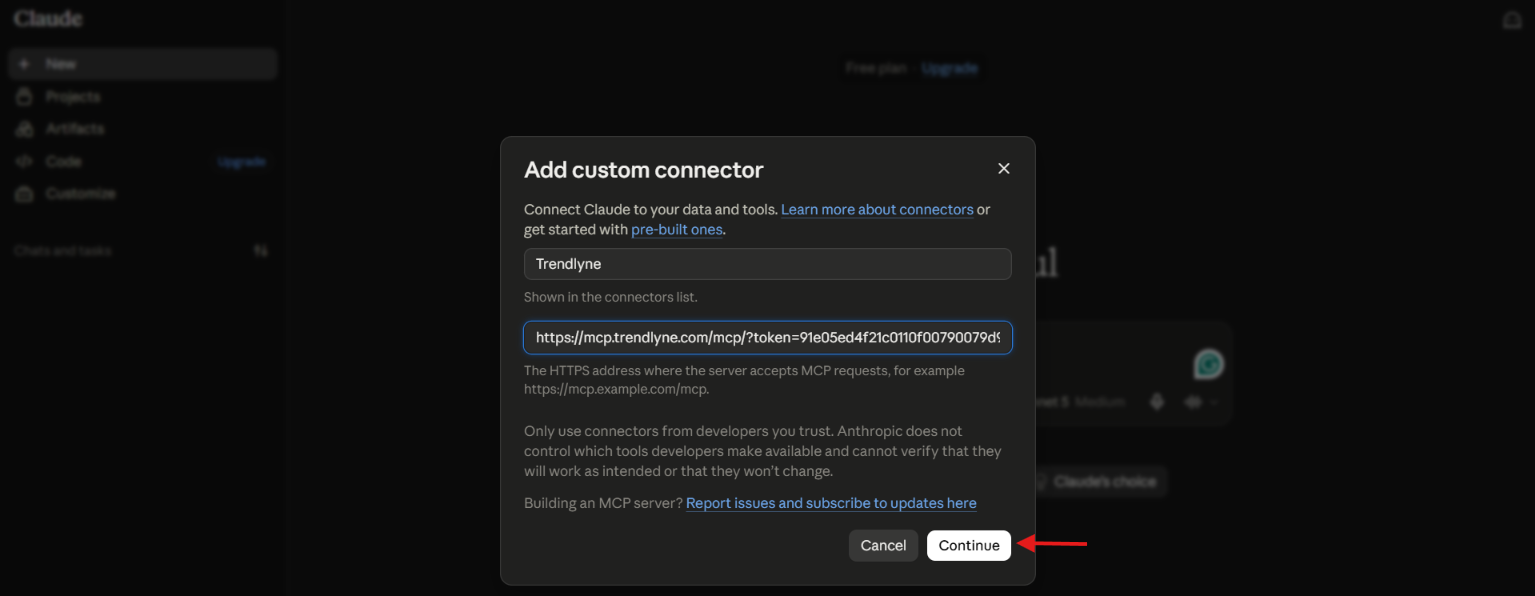
Step 6: Under Authentication, the “None” option is selected by default. Click Add to complete the setup.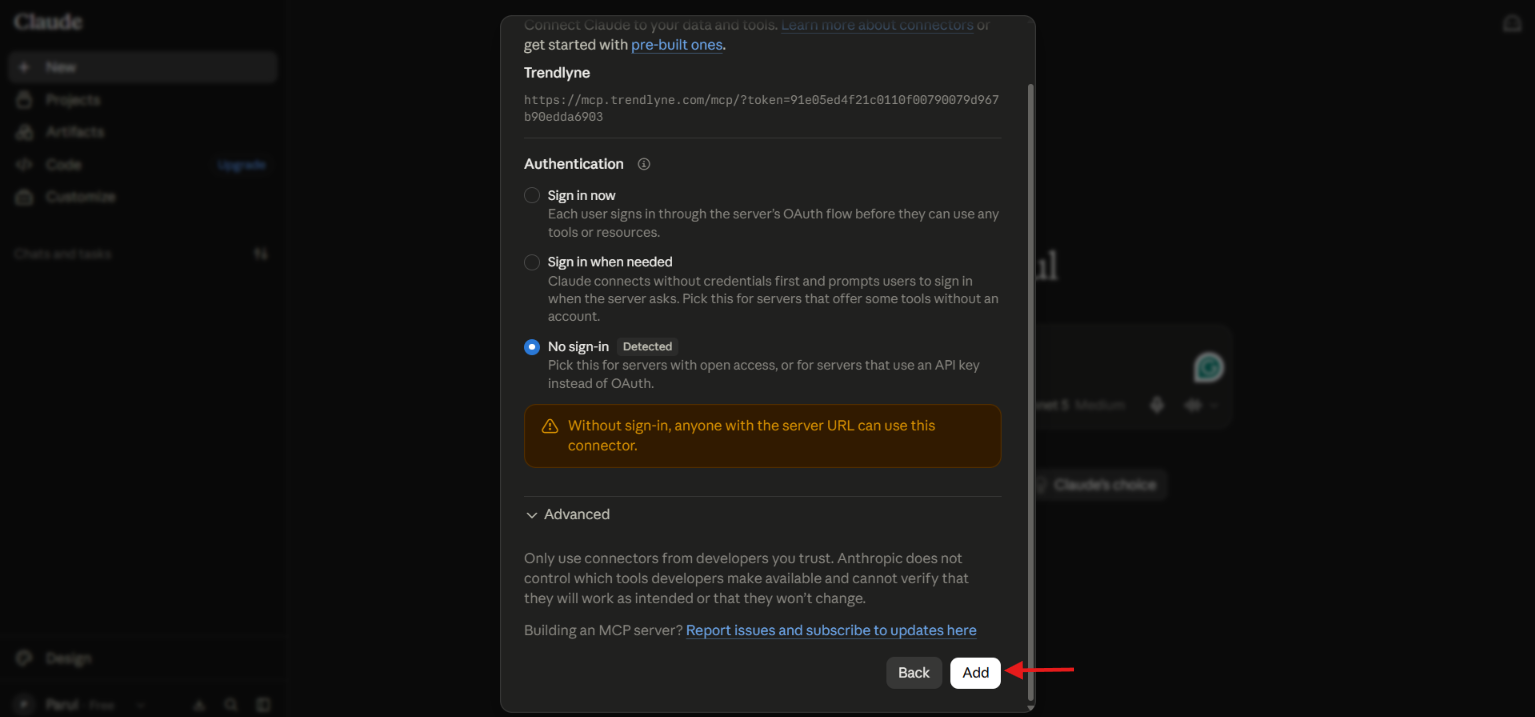
Step 7: Activate the Trendlyne Connector in your Chat.
Once connected, click the + button near the message input and select Trendlyne from your connectors list. You can optionally disable Web Search if you want fully data-grounded answers with no hallucinations.
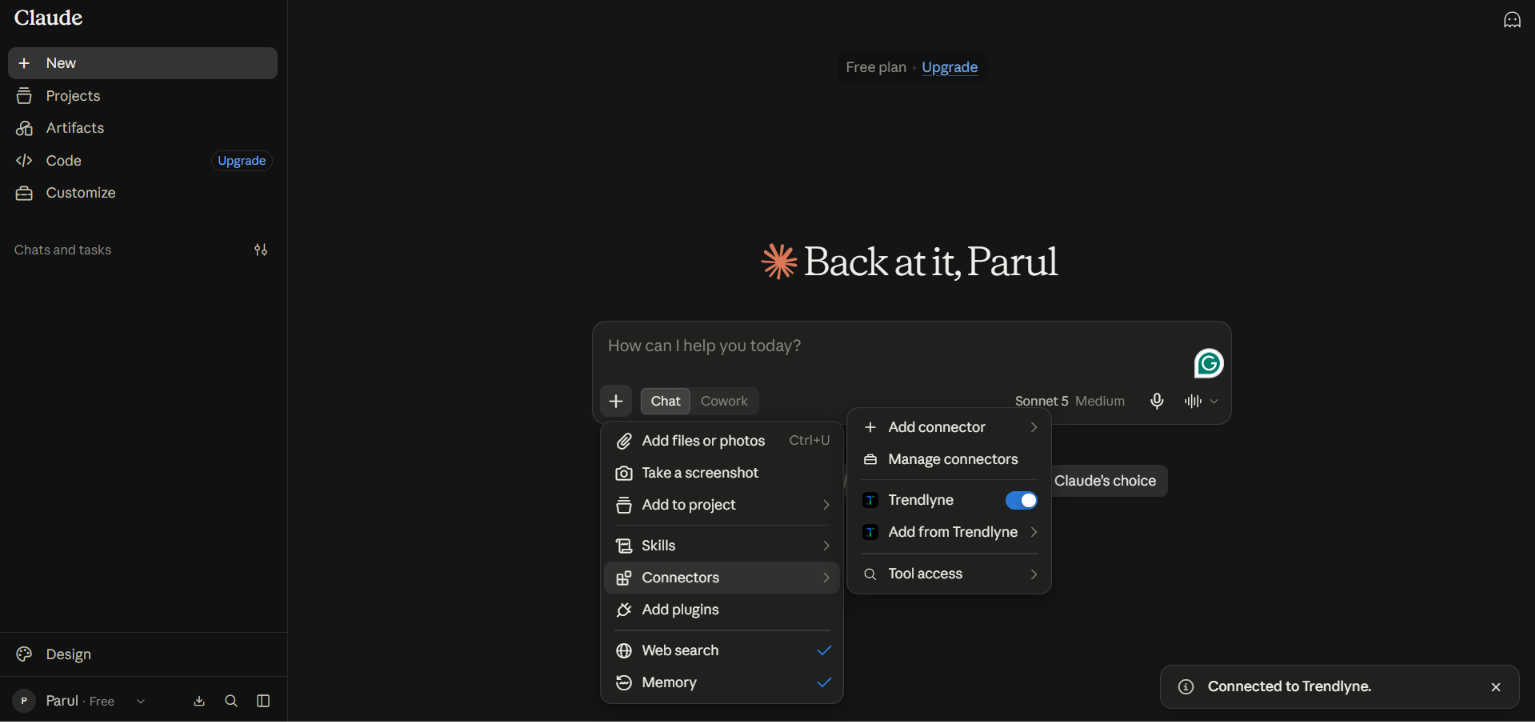
Step 8 — Start asking questions
You're all set! Ask Claude any financial research or market data questions. Claude will query the Trendlyne MCP server and present the data in a clean, concise format for your decision-making or research needs.
Pro Tip: Disable Web Search when using Trendlyne MCP for financial queries. This ensures all answers are sourced exclusively from Trendlyne's verified data.